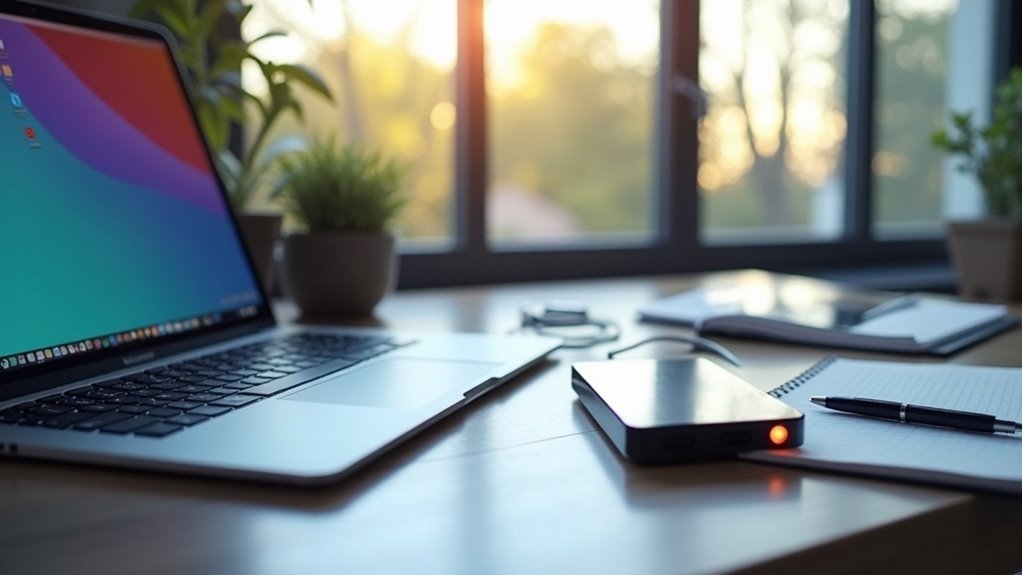
To back up your phone data offline, consider using an OTG or a wireless drive for efficient access and file transfer. Alternatively, you can repurpose an old phone as a backup device and transfer files via WiFi Direct, which can be especially handy in situations where traditional internet access may be compromised. For added security, it’s crucial to password protect your drive to keep your sensitive information safe. Additionally, consider encrypting your files to further shield them from unauthorized access, ensuring that even in a survival scenario, your data remains secure. Finally, create two backups in separate locations; this redundancy helps guarantee your data is safe and accessible when you need it most, especially in emergency situations. Stay prepared and keep your information secure! More survival tips await!
Key Takeaways
- Use OTG drives to directly connect to your phone for quick offline backups, ensuring your vital survival data is always accessible without relying on a computer.
- Repurpose old phones as dedicated backup devices, transferring files via WiFi Direct for faster and reliable data transfer when preparing for emergencies.
- Utilize file transfer apps like Files By Google for offline sharing, allowing you to organize and store important survival information without needing an internet connection.
- Implement password protection on portable drives to secure essential survival data from unauthorized access, safeguarding your preparations.
- Create two separate backups in different locations, ensuring data redundancy and enhancing security against loss in case of emergencies.
Use an OTG or Wireless Drive
When it comes to safeguarding your essential data in a survival situation, utilizing an OTG or wireless drive can be invaluable.
OTG drives connect directly to your Android device, allowing you to back up critical information without relying on a computer, which may not be available during emergencies. Brands like SanDisk and Kingston offer these drives at budget-friendly prices, making them practical for preppers on a tight budget.
OTG drives offer a direct backup solution for Android devices, perfect for emergency situations where computers are unavailable.
On the other hand, wireless drives enable multiple users to access vital files simultaneously, which can be crucial in group survival scenarios.
While they often require their own power source, they provide enhanced features like password protection to secure sensitive information and mobile apps for easy file management.
Both options can transfer large files quickly, ensuring that your backup needs are met efficiently, whether you’re preparing for natural disasters, economic collapse, or other unforeseen circumstances.
Alternative: Use an Old Unused Phone
Using an old unused phone as a backup device can be a practical survival strategy. In a crisis, having an alternative communication device can be invaluable.
You can transfer important files wirelessly via Bluetooth or WiFi Direct, with WiFi Direct typically being the faster and more reliable option.
Furthermore, apps like Files By Google allow for offline file sharing, making it easier to keep vital information secure without relying on internet access.
This ensures that in emergencies, you have access to crucial data and resources when you need them most.
Bluetooth and WiFi Direct
Bluetooth and WiFi Direct provide valuable methods for backing up your essential survival data without relying on an internet connection.
Bluetooth facilitates wireless data transfer between devices, though it has a limited range of around 30 feet and can be slower, which may be a drawback in emergency scenarios.
On the other hand, WiFi Direct establishes a peer-to-peer connection, allowing for faster transfers of larger files over greater distances, which is crucial when you need to share vital information quickly.
To utilize either method, pair or connect your devices through the settings menu or a file-sharing app.
If you have an old, unused phone, it can act as a backup device, aiding you in transferring crucial survival data seamlessly and efficiently, ensuring you’re always prepared for any situation.
File Transfer Apps
File transfer apps can significantly enhance your ability to back up important survival-related data offline. By utilizing these apps, you can efficiently transfer files using Bluetooth or WiFi, making it simple to secure vital information on your Android devices.
Here are some benefits of using file transfer apps in a survivalist context:
- Quick and easy setup for urgent data transfers
- Supports multiple file types crucial for prepping materials
- Environmentally friendly by repurposing old phones for backup purposes
- No internet connection needed, ensuring access in remote areas
Apps like Files By Google allow for seamless offline sharing, ensuring your critical data remains safe without relying on an internet connection.
Repurposing old devices not only saves money but also helps you stay prepared and contributes to a sustainable approach to technology in your survival efforts.
Include Any Separate Description / Metadata
When you back up your survival and prepping data, including separate descriptions or metadata can greatly enhance file organization and retrieval.
Metadata provides context, like geolocation, timestamps, and notes on specific survival strategies or equipment, helping you distinguish similar files or versions during restoration.
Using documentation apps, you can generate CSV or JSON files containing this metadata, ensuring it’s exported alongside your preparedness resources for a thorough backup.
This practice is essential for maintaining records for emergency planning or personal reference when details matter.
Just remember to back up these metadata documents alongside your main files to preserve important context related to your survival preparations.
Password Protect the Drive
To ensure the safety of your critical survival data, it’s essential to implement password protection on the drive where you store this information. This straightforward measure significantly fortifies your data’s defenses against unauthorized access, which is crucial in a survival scenario.
Implementing password protection on your storage drive is vital to safeguarding your survival data from unauthorized access.
Here are some important considerations:
- Many portable drives designed for field use offer password protection through mobile applications, making it convenient for preppers on the go.
- Remember that password protection isn’t the same as full-disk encryption; it provides a basic level of security, but additional measures may be necessary for sensitive information.
- Safeguard your password diligently; losing it could mean losing valuable access to your survival plans and resources.
- Stay informed about local laws regarding encryption and password protection, as these can impact how you secure your data.
Consider Encrypting the Files
While password protection is a good start, considering encryption for your files adds an essential layer of security that keeps sensitive information safe from unauthorized access, especially in a survivalist context where data integrity is crucial.
Encrypting files guarantees that even if your backup solutions are compromised, your vital information remains protected from prying eyes. You can easily use Android apps like ZArchiver and RAR to encrypt your files before backing them up for future preparedness.
Just remember to keep your encryption passwords safe, as losing them means permanent loss of access to critical data. Also, be aware of local laws regarding encryption, as they can vary and may impact your ability to safeguard information.
Combining encryption with other backup solutions provides thorough data protection, ensuring that you’re well-prepared for any situation.
Make 2 Backups in Separate Locations
After ensuring your files are encrypted for added security, the next crucial step in your survival and prepping strategy is to create two separate backups in different locations. This redundancy safeguards your essential app data from potential loss during emergencies or disasters.
Creating two distinct backups in separate locations is vital to protect your essential data during emergencies.
- Back up important media files from your phone to your PC for secure storage.
- Utilize an app like MyPhoneExplorer to preserve vital SMS and other data.
- Store one backup on an external hard drive or USB flash drive, which can be easily transported if needed.
- Keep the second backup on another device, such as an old phone or a dedicated backup drive, ensuring you have access to important information regardless of your primary device’s condition.
Regularly verify both backups by attempting to restore small portions of data. This practice ensures you can access everything you need when it matters most, enhancing your preparedness in uncertain times.